Be there. holo remembers.

The voice recorder that takes the notes for you.

For Android and iOS. No account. Bring your own AI key.

M0:21
Maya

Party at mine, Saturday at 7?

T0:24
Theo

Yes. I'll bring the cake and speakers.

M0:27
Maya

Deal. Last one down brings the ice.

Recording with the screen off

Put the phone down.

holo keeps recording with the screen off, so you can look at the people you're with instead of a notes app. Pause or stop it from the notification.

Later, it's all there.

Dry off, open holo, and the whole conversation is waiting.

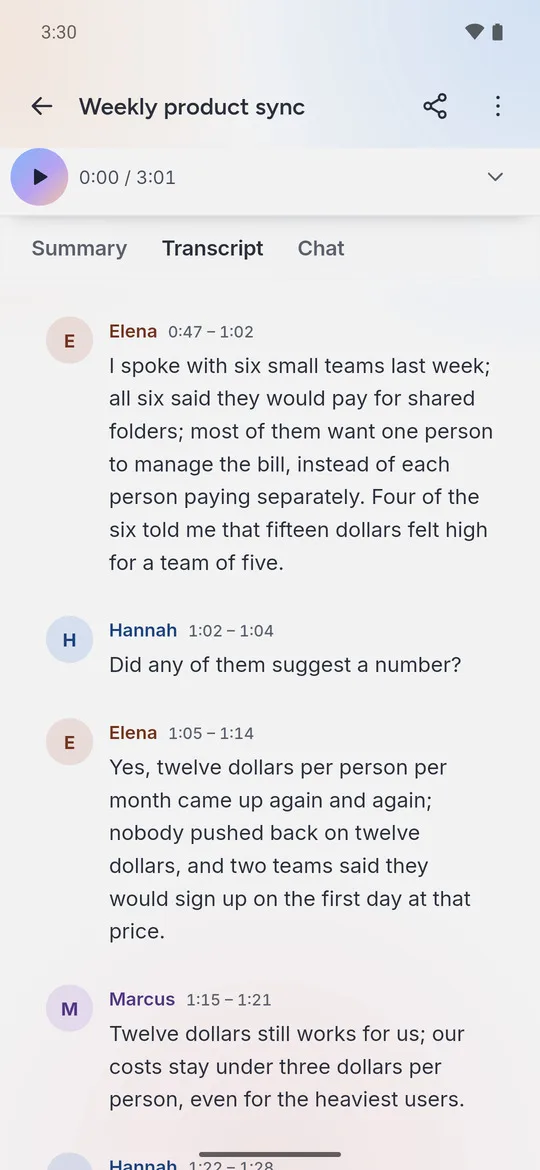
A transcript with lines grouped by speaker and timestamps
1Transcribe

See who said what.

Every line comes back with a speaker and a timestamp. Tap a line and the audio plays from that moment.

  • Tap a speaker's name to rename them everywhere
  • Hold a name to hear five seconds of their voice
  • Long recordings are split into parts and transcribed in parallel
A recording's summary with key points
2Summarise

Read the short version.

Key points, decisions and action items, in a few lines instead of an hour of audio.

  • See the estimated cost before a summary runs
  • Pick the model, and edit the prompt behind it
  • Recordings are tagged for you from your own tag list
The quick menu that opens when you hold a recording
3Find

Find it a month later.

Pull the list down to search every title and every word inside every transcript.

  • Folders, tags and smart lists like "Needs a summary"
  • Swipe left to delete, right to rename
  • Hold a recording, slide to an action, let go
A chat answer about the agreed price and launch date, citing two lines at 1:22 and 1:42 with source cards
4Ask

Ask what was actually said.

"Who said they'd bring the cake?" holo answers from the recording and shows you the lines it used.

  • Numbered citations, up to three per answer
  • Source cards show the time, the speaker and the line
The Transcript tab after tapping citation 1, with Hannah's line at 1:22 highlighted and the player at 1:22
5Check

Jump to the moment it was said.

Tap a citation and the transcript opens at that line, highlighted, with the player moved to the same moment.

  • Press play to hear it in their own words
  • Back takes you straight to the chat

There is no holo server.

What you said by the lake stays on your phone. It only leaves when you ask for a transcript or a summary, and then it goes straight to the AI provider you chose.

Where your audio goes

Nowhere, until you ask for a transcript or a summary. Then it goes from your phone to the provider whose key you added, and only to that one.

Your keys are stored encrypted in your phone's secure storage, and each key is only ever sent to the provider it belongs to.

  • No account to sign up for
  • No analytics or crash reporting
  • No ads
  • Auto-transcribe stays off until you turn it on

Use the AI you already pay for.

Paste in a key from any of these providers and pay them directly for what you use. holo adds nothing on top.

ProviderUsed for
OpenAI
TranscriptsSummariesChatTags
Google Gemini
TranscriptsSummariesChatTags
Meta
Transcripts
Anthropic
SummariesChatTags
OpenRouter
SummariesChatTags
AWS Bedrock
SummariesChatTags

Recording works without any key. For transcripts, add one from OpenAI, Google Gemini or Meta. On OpenRouter and Bedrock you can add any model you like.

$0.00 spent Every request is logged with its cost, so you always know what a recording cost you.

And the small things that matter.

Works in the background
Transcripts and summaries keep running when you lock your phone. You're notified when they're ready.
Export anywhere
Plain text, SubRip (.srt), WebVTT (.vtt), or a PDF with the summary.
Back up to one file
Everything goes into a single .zip you keep. API keys are never included.
Seven themes
Light, Pastel Sky, Pastel Candy, Iris, Dark, Midnight and Opal.
A proper player
Skip 10 seconds either way, play at 0.5× to 2×, and scrub along the waveform.
Import audio
Bring in recordings you already have: m4a, mp3, wav, aac, ogg or flac.

Hit record.
Then go.

holo will have the notes when you get back.

Version 1.1.0 for Android and iOS.